Disclosure: NotaryStyle earns from qualifying purchases as an Amazon Associate. We independently research and recommend products. When you click links to buy products, we may earn a commission at no additional cost to you. Our recommendations are not influenced by commission — we only feature products we believe provide value to notaries.
This article is for informational purposes only and does not constitute legal, financial, or professional advice. Product availability, pricing, and specifications are subject to change. Always check with your state's notary regulating agency for specific requirements regarding loan signing procedures and document handling.
If you are a loan signing agent, you already know that your printer is the beating heart of your business. You can have the perfect notary bag, a flawless signing presentation, and impeccable customer service, but if your printer fails you right before a closing, your reputation takes an immediate hit.
In the notary world, you will often hear the term "dual-trace" used to describe printers that can handle two different paper paths simultaneously. However, the industry-standard term for this is a dual tray printer notary setup. Having a machine that can hold both letter-sized (8.5" x 11") and legal-sized (8.5" x 14") paper at the exact same time is not a luxury—it is an absolute necessity.
As we move through 2026, mortgage packages remain dense, often ranging from 100 to 200 pages. These documents are a mix of letter and legal sizes, and stopping a print job to swap out paper trays is a recipe for misprinted pages, wasted toner, and out-of-order documents. If you are looking for the best portable printer loan signing professionals trust, you are in the right place. We have broken down the top Brother laser printers on the market to help you make an informed decision.
Why Loan Signing Agents Need a Dual-Tray Laser Printer
Before diving into the specific models, it is important to understand why a dual-tray setup is non-negotiable. When a lender sends a loan package, the documents are heavily formatted. The Deed of Trust, the Note, and certain disclosure forms are almost always printed on legal-sized paper. Standard addendums and borrower disclosures are typically printed on letter-sized paper.
If you use a single-tray printer, you have to manually feed the legal paper one sheet at a time, or pause the print spooler, swap the paper in the tray, and hope your computer resumes printing exactly where it left off. This usually results in scrambled pages, which looks highly unprofessional to the borrower and the title company.
Additionally, you must use a laser printer. Inkjet printers are significantly slower, the ink can smudge if the borrower uses a gel pen (which is common), and the cost per page is vastly higher. If you want to learn more about transitioning from ink to laser, check out our complete guide to notary printing setup.
What Makes a Printer "Portable"?
In the notary industry, "portable" can mean two different things.
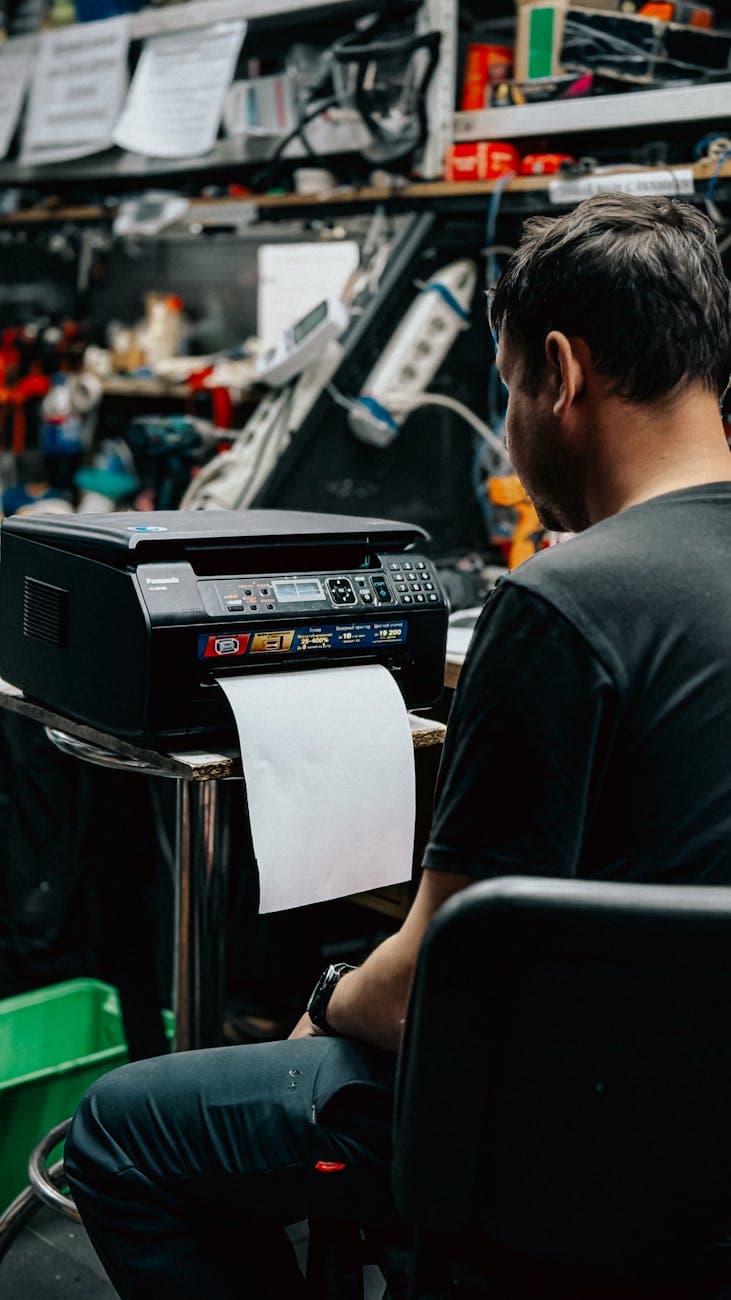
The first definition is a truly mobile printer that you carry in your car and set up on the borrower's kitchen table. The second definition—and the one most successful signing agents use—is a "luggable" printer. This is a compact, lightweight laser printer that lives in your home office but is light enough to easily move to a temporary location if needed, or to transport if you operate out of a coworking space.
Because battery-powered mobile printers cannot print legal-sized documents, cannot hold a full loan package, and struggle with laser-quality speeds, we highly recommend the "luggable" dual-tray approach for 2026.
Top Brother Printers for Loan Signing Agents
Brother essentially monopolizes the dual-tray, compact laser printer market, and for good reason. Their machines are reliable, relatively lightweight, and compatible with high-yield toner cartridges that keep your costs down. Here is how the top models compare.
1. The Entry-Level Dual Tray: Brother HL-L5200DWT Monochrome Laser Printer
The Brother HL-L5200DWT Monochrome Laser Printer is the most affordable dual-tray option available, making it the ideal starting point for new notaries who need both letter and legal printing from day one.
If you are刚刚 starting your notary business and working with a strict budget, this is the most affordable entry point. It is a compact, wireless monochrome laser printer that is incredibly easy to set up.
This model features dual trays — one holds 250 sheets of letter paper and the other holds 50 sheets of legal paper — so you can print mixed-size loan documents without manually swapping trays.
Pros:
- Highly affordable entry price point
- Very compact and lightweight (under 16 pounds)
- Excellent wireless connectivity and easy mobile printing
Cons:
- No second tray—requires manual feeding for mixed-size loan packages
- Slower print speed (up to 36 pages per minute)
- Smaller toner capacity means replacing cartridges more often
Best for: New signing agents doing just one or two closings a month who are willing to manually feed their legal-sized pages to save on upfront equipment costs.
2. The Reliable Workhorse: Brother HL-L5200DWT Monochrome Laser Printer
Brother HL-L5200DWT Monochrome Laser Printer
This is where the true dual-tray magic begins. The HL-L5200DWT is an older-generation model that remains a staple in the industry because it is incredibly durable. It features a 250-sheet lower tray for your letter paper and a 50-sheet multipurpose tray that folds down from the front for your legal paper.
Pros:
- True dual-tray capability for simultaneous letter and legal printing
- Fast print speeds (up to 38 pages per minute)
- Highly durable with a robust monthly duty cycle
- Uses affordable, high-yield TN-760 toner cartridges
Cons:
- Slightly bulkier design compared to newer models
- The 50-sheet legal tray means you have to refill it mid-print for large packages
- Connectivity is slightly older (though still reliable for basic Wi-Fi and USB)
Best for: Budget-conscious agents who need true dual-tray functionality and do not mind refilling the legal paper tray during larger print jobs.
3. The Industry Sweet Spot: Brother HL-L5210DWT Dual Tray Monochrome Laser Printer
Brother HL-L5210DWT Dual Tray Monochrome Laser Printer
If there is a "default" recommendation for loan signing agents in 2026, this is it. The HL-L5210DWT is the direct successor to the 5200DWT, and Brother made several massive improvements. It bumps the print speed up to 42 pages per minute and features a much sleeker, more modern design that takes up less space on your desk.
Like its predecessor, it features a 250-sheet letter tray and a 50-sheet legal tray. But what really sets this model apart is the upgraded processing speed and wireless antenna, which practically eliminates connectivity drops during massive document spools.
If you are comparing models online, you may also see this exact printer offered through alternative retail channels. You can find the same specifications and reliability packaged differently here: Brother HL-L5210DWT Dual Tray Monochrome Laser Printer.
Pros:
- Perfect balance of price and performance
- Fast 42 ppm print speed
- Compact footprint for a dual-tray machine
- Excellent Wi-Fi reliability for large file transfers from your laptop or phone
Cons:
- Still limited by the 50-sheet legal paper capacity
- Toner replacements can add up if you are doing high volume without utilizing high-yield cartridges
Best for: Mid-to-high volume signing agents who want a fast, reliable machine that handles 95% of loan packages flawlessly without breaking the bank.
4. The Premium Heavyweight: Brother HL-L6210DWT Dual Tray Laser Printer
Brother HL-L6210DWT Dual Tray Laser Printer
For the full-time, high-volume signing agent who prints multiple massive loan packages every single day, the L6210DWT is the ultimate investment. This is a step up in almost every single category.
Instead of a 50-sheet legal tray, this powerhouse features a 250-sheet tray for letter paper and a 100-sheet tray for legal paper. This means you can load an entire 150-page loan package into the machine, hit print, and walk away without touching the printer again. It also prints at a blistering 48 pages per minute.
Pros:
- 100-sheet legal paper tray—no more stopping to reload
- 250-sheet letter paper tray
- Ultra-fast 48 ppm print speed
- Massive monthly duty cycle built for heavy, daily abuse
- Uses the ultra high-yield TN-850 toner cartridge, significantly lowering cost per page
Cons:
- Highest upfront cost of the options listed
- Heavier and less "luggable" (weighs about 25 pounds)
- Larger physical footprint requires more dedicated desk space
Best for: Full-time, elite signing agents, or notaries who run a signing service and employ multiple signing agents under their umbrella.
The Hidden Cost: Toner
When choosing a portable printer loan signing agents rely on, you cannot just look at the sticker price of the machine. You have to calculate the cost per page. In 2026, a standard loan package costs roughly $2.00 to $3.00 in toner to print on a Brother laser printer. That same package would cost $8.00 to $12.00 to print on an inkjet.
Always buy the high-yield toner cartridges (like the TN-760 or TN-850 depending on your model). Yes, they cost more upfront—sometimes $80 to $110—but they yield thousands of pages and drop your cost per page to fractions of a penny. To understand how to maximize your expenses, read our guide on notary business expenses and tax deductions.
Final Verdict: Which One Should You Buy?
- Skip the hassle and go straight for the Brother HL-L5210DWT Dual Tray Monochrome Laser Printer if you are planning to make this a serious side hustle or full-time career. It is the best overall value and will save you immense frustration.
- Buy the Brother HL-L6210DWT Dual Tray Laser Printer if you are already doing 15+ signings a month and are tired of refilling the legal tray halfway through a print job. The 100-sheet legal tray is a genuine quality-of-life upgrade.
- If you are on the tightest budget possible, the Brother HL-L5200DWT is still your best bet for dual-tray printing. Alternatively, if you already have a single-tray printer, our free Notary Professional Toolkit PDF Splitter can separate pages for you after printing.
Printing loan documents? Page Separator automatically separates legal and letter-size pages — a must-have tool for signing agents who print their own loan packages.
Frequently Asked Questions
Can I use an inkjet printer for loan signing appointments? While there are no laws dictating the type of printer you use, it is highly discouraged. Inkjet printers are much slower, the ink can smudge when borrowers sign with gel pens, and the long-term cost of ink cartridges is significantly higher than laser toner. Title companies and signing services also generally expect laser-printed documents for their crisp, professional appearance.
Do I need to print in color for mortgage documents? No. Mortgage loan documents are almost entirely black-and-white. Some borrowers may sign in blue ink so the original can be easily identified from a copy, but the printed text itself does not require color. A monochrome laser printer is exactly what you need.
What exactly does "dual-tray" mean for a notary? A dual-tray printer has two separate compartments to hold paper. For a loan signing agent, this means you can load standard letter-sized paper (8.5" x 11") in one tray, and legal-sized paper (8.5" x 14") in the other tray. The printer automatically pulls from the correct tray based on the document's formatting, allowing you to print a mixed-size loan package in one continuous job without stopping.
Is it better to print at home or bring a printer to the signing? The vast majority of successful loan signing agents print their documents at their home or office before leaving for the appointment. True portable, battery-operated printers cannot handle legal-sized paper or the volume of a 150-page loan package. Printing ahead of time ensures you arrive organized, allows you to check the document order, and saves you from setting up bulky equipment in a borrower's living room.
How long do Brother laser printers typically last? With proper maintenance—primarily keeping the printer covered to prevent dust from getting into the paper sensors and using high-quality toner—Brother compact laser printers typically last 3 to 5 years for a full-time signing agent. Many part-time agents
Learn More: For the complete guide, visit our Complete Guide to Notary Supplies: Everything You Need in 2026 page.
report their machines lasting well beyond 7 years.