Disclosure: NotaryStyle earns from qualifying purchases as an Amazon Associate. We independently research and recommend products. When you click links to buy products, we may earn a commission at no additional cost to you. Our recommendations are not influenced by commission — we only feature products we believe provide value to notaries.
This article is for informational purposes only and does not constitute legal, financial, or professional advice. Notary requirements vary by state, so always check with your state's Secretary of State or consult a qualified attorney for specific compliance questions.
As a notary public, your printer is arguably the most important piece of equipment in your office—right next to your notary stamp and journal. If you've recently looked into becoming a loan signing agent, you already know that a standard home printer simply won't cut it. Finding the best printer for a notary business means looking for specific features that handle high-volume, multi-page document sets without jamming, smudging, or wasting your time.
In 2026, the clear winner for notaries is laser technology. An inkjet printer might be fine for printing a boarding pass, but when you're printing a 150-page mortgage package on a tight deadline, you need a reliable notary laser printer. Let's break down exactly what makes a great loan signing printer and review the top options on the market today to help you make the right investment.
What to Look for in a Notary Laser Printer
Before diving into specific models, it helps to understand what separates a standard office printer from one built for notary work. When you are evaluating machines, keep these critical features in mind:
- Dual Paper Trays: This is the holy grail feature for loan signers. Loan documents typically mix letter-sized (8.5" x 11") and legal-sized (8.5" x 14") pages. A dual-tray printer allows you to load both sizes simultaneously so the documents print in the correct sequential order without you having to stand there and manually swap paper trays.
- Print Speed: Measured in pages per minute (PPM). For loan signers, look for a printer that outputs at least 30 PPM to keep your turnaround times fast and get you out the door to your appointments.
- High-Yield Toner Compatibility: Laser printers are famously cost-effective, but only if you buy high-yield toner cartridges. These typically print 3,000 to 7,500 pages before needing a replacement, drastically lowering your cost per page.
- Automatic Duplexing: Printing double-sided saves paper, reduces the physical bulk of the packages you have to carry to signing appointments, and is often preferred by title companies.
- Connectivity: Wi-Fi capability is excellent if you download email documents directly from a tablet or smartphone, though a direct USB connection is always a reliable backup.
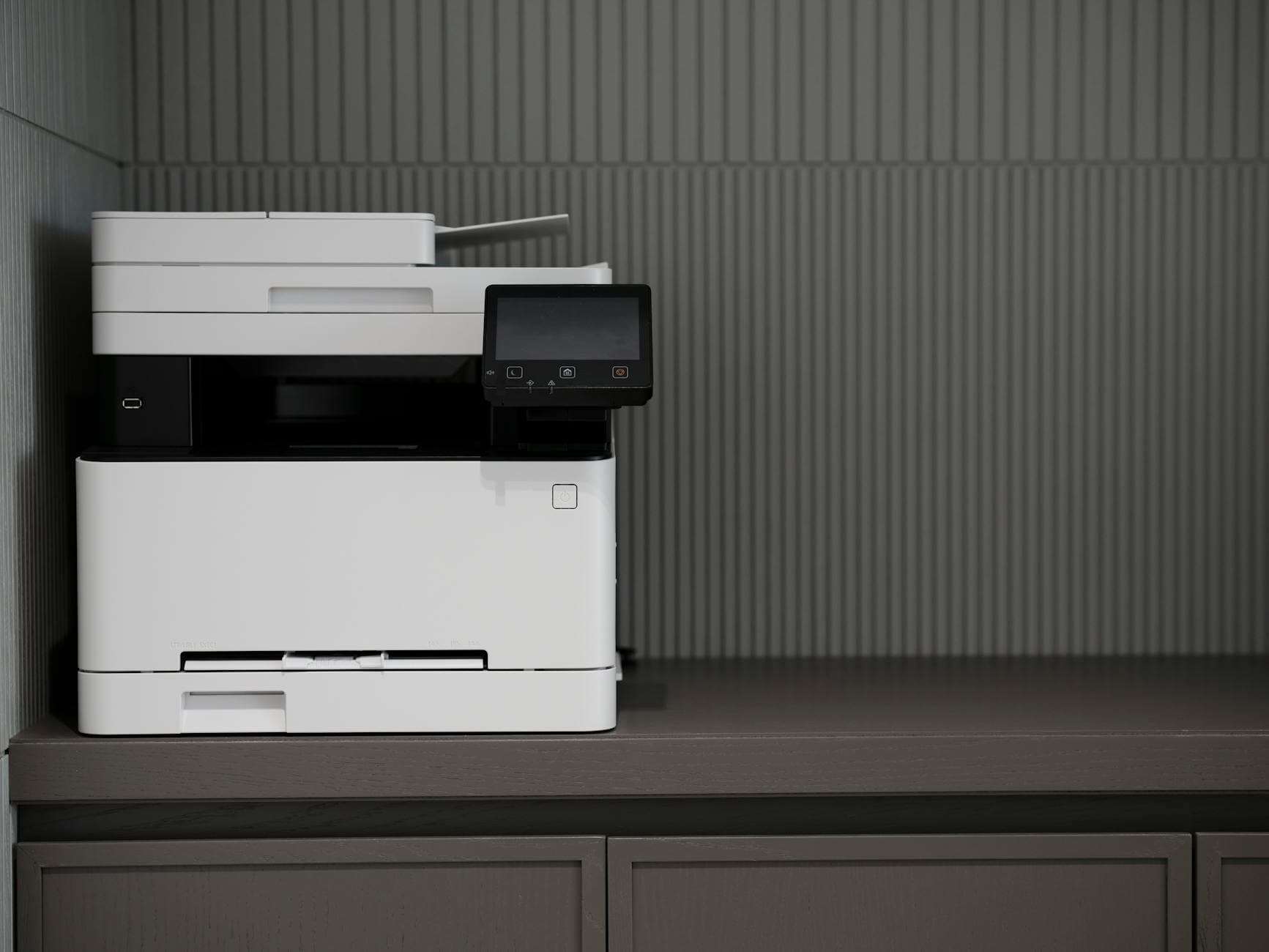
Top Laser Printer Recommendations for Notaries
Best for Mobile Notaries on a Budget: Brother HL-L5200DWT Monochrome Laser Printer
If you are just starting your notary business or primarily handle general notarizations, the Brother HL-L5200DWT Monochrome Laser Printer is the most affordable way to get the essential dual-tray functionality every loan signing agent needs.
Pros:
- Dual trays: One holds 250 sheets of letter paper, and the other holds 50 sheets of legal paper
- Prints up to 40 pages per minute
- Supports high-yield toner cartridges, lowering your long-term operating costs
- Automatic duplex printing for professional two-sided documents
Cons:
- The legal paper tray capacity is only 50 sheets, which might require refilling during very large loan packages
- Slightly larger physical footprint than single-tray compact models
The Verdict: This is the best entry point for new notaries who plan to do loan signings. Skip single-tray printers — you need dual trays from day one, and this model gets you there without breaking the bank.
Already have a single-tray printer? Our free Notary Professional Toolkit PDF Splitter automatically separates legal and letter-size pages after printing — included free with the Notary Signing Agent Academy.
Best Overall Value: Brother HL-L5210DWT Dual Tray Monochrome Laser Printer
When notaries ask for the best all-around printer, the Brother HL-L5210DWT Dual Tray Monochrome Laser Printer is usually the top recommendation. It improves upon the L5200DWT by offering a much better paper capacity that significantly reduces interruptions.
Pros:
- Dual trays with a 250-sheet letter tray and a 100-sheet legal tray
- Prints up to 40 PPM
- Excellent compatibility with high-yield toner cartridges
- Robust monthly duty cycle designed for consistent, daily use
Cons:
- Still a monochrome printer (no color printing, though this is rarely an issue for notaries)
- Requires a dedicated amount of desk space
If you are looking for a highly reliable workhorse, you can also find this exact model available through different supply channels, such as the Brother HL-L5210DWT Dual Tray Monochrome Laser Printer.
The Verdict: For 90% of notaries and loan signing agents operating in 2026, this is the ideal machine. The 100-sheet legal tray means you can print almost any standard mortgage package without ever getting up to add more paper.
Best for High-Volume Loan Signers: Brother HL-L6210DWT Dual Tray Laser Printer
If you are a full-time mobile notary, run a signing service, or print for multiple signing agents in your office, speed and capacity are your top priorities. The Brother HL-L6210DWT Dual Tray Laser Printer is the absolute powerhouse of this lineup.
Pros:
- Impressive print speeds of up to 48 PPM
- Generous 300-sheet letter tray and 100-sheet legal tray
- Lower cost per page than the smaller models due to ultra-high-yield toner options
- Advanced security features if you are operating on a shared network
Cons:
- Highest upfront cost of the models listed here
- Heavier and bulkier, making it less ideal for tight spaces
The Verdict: If you are printing thousands of pages every single month, the investment in this model will pay for itself in time saved and toner efficiency. High-volume notaries know that printer downtime directly costs them money and reputation, and this model is built to minimize that risk.
Tips for Maintaining Your Notary Laser Printer
Buying the right printer is only half the battle. To ensure your equipment lasts for years and never fails you before a big signing, keep these maintenance tips in mind:
- Don't wait until the last minute to replace toner. Always keep a spare high-yield cartridge in your office. Running a cartridge completely dry can sometimes introduce air into the system and cause streaking or print quality issues.
- Use quality paper. Cheap, lightweight paper creates more paper dust, which builds up inside your printer and causes jams. A standard 20lb bond paper is generally fine, but 24lb paper tends to feed much more smoothly through high-speed laser printers.
- Keep the trays organized. Fan your paper before loading it, and make sure the sliding guides in the trays are snug against the paper stack. Loose guides are the number one cause of misaligned prints and paper jams.
- Clean the rollers. Every few months, use a lint-free cloth slightly dampened with isopropyl alcohol to gently clean the rubber pickup rollers. This removes paper dust and restores their grip, preventing slipping.
- Update your firmware. Printer manufacturers release updates that can improve communication between your computer and the printer, reducing unexpected errors.
Why Notaries Should Avoid Inkjet Printers
You might be wondering why an inkjet printer isn't on this list. While inkjet technology has improved, it fundamentally relies on liquid ink that is sprayed onto the page and absorbed by the paper. For a notary public, this presents two major problems.
First, inkjet pages can smudge if they get wet, if the borrower handles them with damp hands, or if you use a highlighter on them. Second, and more importantly, inkjet printers are incredibly expensive to operate at high volumes. While a laser toner cartridge might cost $70 upfront, it prints 3,000+ pages. An inkjet cartridge might cost $20 but only prints 200 pages. When you are printing 100+ page loan packages daily, the laser printer is significantly cheaper per page. If you want to dive deeper into setting up your workspace, read our comprehensive guide on essential notary supplies.
Printing loan documents on your new printer? Page Separator automatically separates legal and letter-size pages, saving you time on every loan package you print.
Frequently Asked Questions
Do I really need a dual-tray printer to be a loan signing agent?
While it is not legally required by any state, it is practically essential for the job. Loan packages almost always contain a mix of letter and legal-sized pages. Without a dual-tray printer, you have to manually stand at the machine and swap paper trays for every size change. This is incredibly time-consuming and highly prone to errors, which looks unprofessional to borrowers and title companies.
Can I print in color on these recommended laser printers?
No, the printers recommended in this guide are monochrome (black and white only). However, almost all notarizations and loan signing documents require only black ink. In the rare event that you need to print a color document, you can typically outsource that single print job to a local office supply store or use a secondary cheap inkjet printer.
How much does it typically cost per page to print with a notary laser printer?
In 2026, when using a high-yield toner cartridge in a monochrome laser printer like the Brother L5210DWT or L6210DWT, your cost per page is generally between 1.5 to 2.5 cents. This includes the cost of the toner and the paper. Compare this to an inkjet printer, which can easily cost 8 to 15 cents per page.
**Is it worth buying a refurbished l
Learn More: For the complete guide, visit our Complete Guide to Notary Supplies: Everything You Need in 2026 page.
aser printer for my notary business?**
It can be,